

Arriving
Arriving at your college
If you're living on campus, find out about moving in to your college, including parking arrangements and the arrivals process.
Postgraduates should collect your key from Campus Receptions at the Information Centre (for Campus West colleges) and Ron Cooke Hub (for Campus East colleges) from Monday 14 September between 8am and 8pm.
If you arrive in York outside these times, you should make alternative arrangements until our receptions open again. In an emergency you can contact Campus Safety on +44 (0)1904 32 4444.
Once you have collected your key, make your way to your accommodation in your college. We'll have a minibus shuttle service available from the Information Centre to help you if you need it. See arrivals information per college:
Living off campus?

If you're living off campus, you don't need to come to campus to register your arrival. Just come to the various welcome events - you're very much a member of your college and you're very welcome at all events and activities!
From Monday 14 September 2026, you can collect your student ID card from the Unicard desk in Sally Baldwin B (open 10am- 4pm). Your Unicard is also available digitally on the MyUoY app.
See our advice if you are moving in to private sector accommodation - including a handy moving in checklist to remind you of your key first tasks.
If you're commuting to campus, take a look at our support for local and commuting students.
Collect your Uni Card
Your University card is your ID, printing and library card. It's available digitally on the MyUoY app and you will receive a notification email when your physical card is ready to collect from the Unicard desk in Sally Baldwin B block. Please don’t try to collect your student card until you receive a notification email.
Part-time students receive their Unicard in the post and Hull York Medical School students receive their card from their department.

Get online on campus
See our IT information for new users to help you get online. If you're living on campus, there will be instructions on how to get online in your study bedroom. IT Services also run helpdesk sessions to help you sort things out.

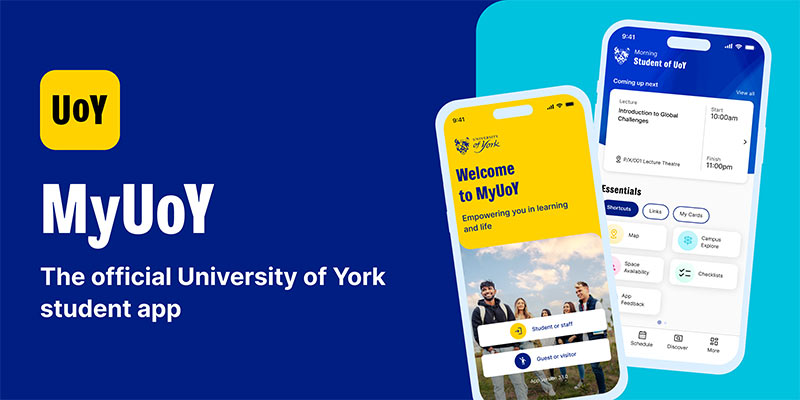
Download the MyUoY app
Download our MyUoY app to support your student experience. See your timetable, access your digital Library card, use the campus map, find your nearest campus catering venue, view availability and book study space, and much more!
24/7 help on campus
Get help on campus with a simple tap on your phone by installing the SafeZone app. You'll have access to the Campus Safety team 24 hours a day.


Food and drink
Get to know campus by visiting one of our catering outlets. Note that our catering outlets only take card/contactless payments.
International student?
See our guide for new international students for help with tasks you need to do when arriving in York.

Photography
Photography will take place during arrivals days, which may be used for marketing purposes by the University of York. If you have any concerns or would prefer not to feature, please email communications-support@york.ac.uk. For further information about how we use photography or video which includes you please see our privacy notice.