

Arriving at York
Arriving at your college
If you're living on campus, find out about moving in to your college, including parking arrangements and the arrivals process.
Key collection
Key collection is only available between 8am and 8pm. If you arrive in York outside these times, you should make alternative arrangements until our key collection hubs open again. In an emergency you can contact Campus Safety on +44 (0)1904 32 4444.
Living off campus?

See our advice if you are moving in to private sector accommodation, including what to expect and a handy moving in checklist for your key first tasks.
If you're commuting to campus, take a look at our support for local and commuting students.
You're still a member of your college if you live off campus and you're very welcome at all college events and activities!
Collect your Uni Card
Your University card is your ID, printing and library card. Pick it up from a hub in your college on your college arrivals day or from the Information Centre at other times.
Part-time students receive their Uni card in the post and Hull York Medical School students receive their card from their department.

Get online on campus
See our IT accounts and tools: get started guide for information on how to get connected on campus. If you're living on campus, there will be instructions on how to get online in your study bedroom.
If you have any problems, IT services run help desk sessions in Welcome Week to help you sort things out.

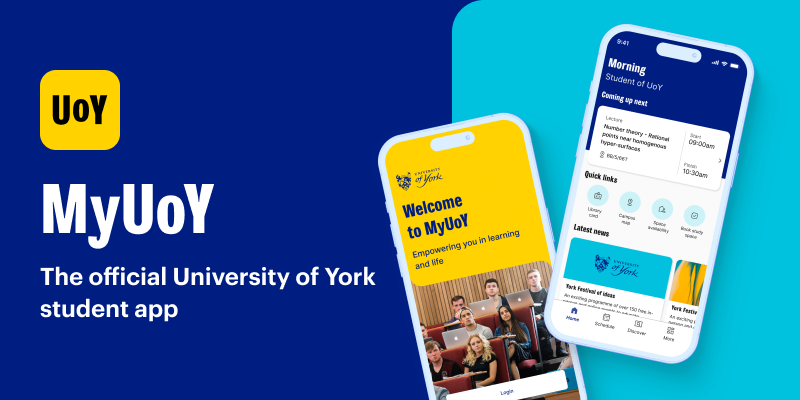
Download the MyUoY app
Download our MyUoY app to support your student experience. See your timetable, access your digital Library card, use the campus map, find your nearest campus catering venue, view availability and book study space, and much more!
24/7 help on campus
Get help on campus with a simple tap on your phone by installing the SafeZone app. You'll have access to the Campus Safety team 24/7.


Food and drink
Get to know campus by visiting one of our catering outlets. Note that our catering outlets only take card/contactless payments.
Visit your college stall
Some colleges have a stall where you can buy college t-shirts and other merchandise. There’s no pressure to buy but it could help you to feel part of your college from day one.

International student?
See our guide for new international students for help with tasks you need to do when arriving in York.

Photography
Photography will take place during arrivals days, which may be used for marketing purposes by the University of York. If you have any concerns or would prefer not to feature, please email communications-support@york.ac.uk. For further information about how we use photography or video which includes you please see our privacy notice.