Learning Management System: Guide for all staff
User profile
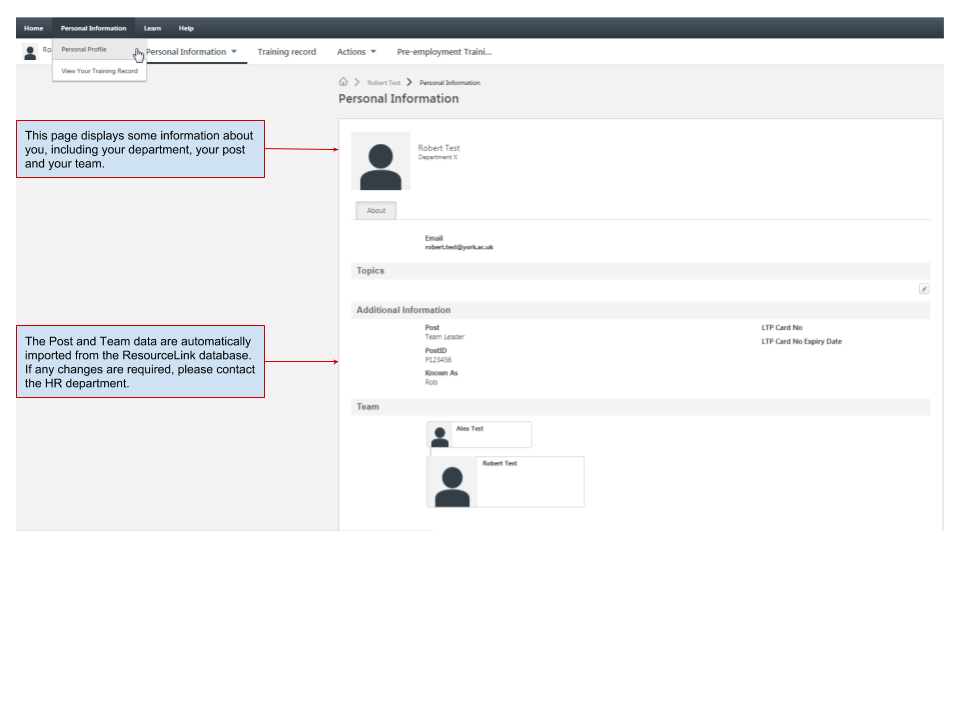
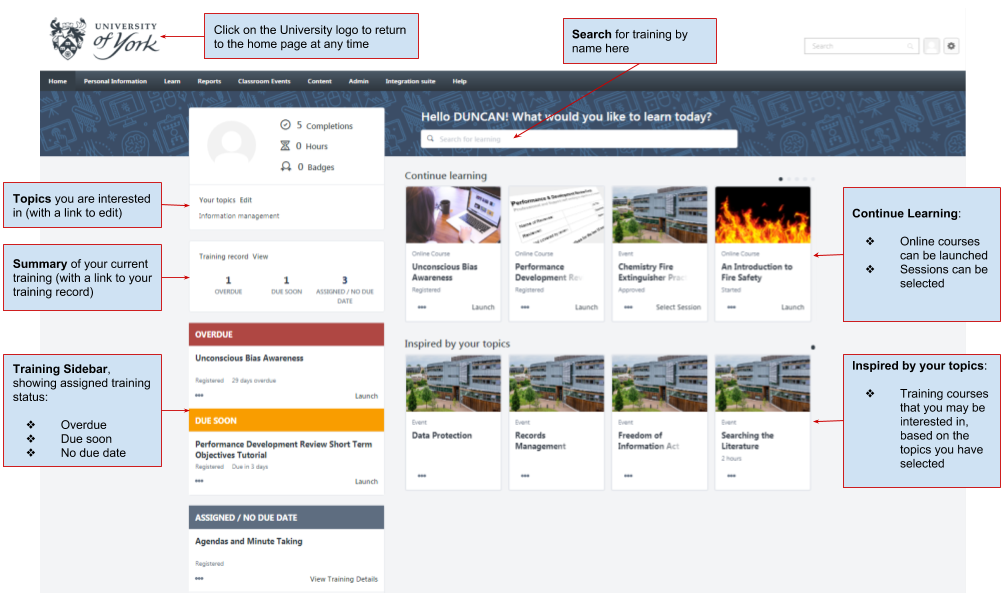
The User Profile on the top left of the page lets the learner quickly see their all-time training completions and hours. In one click they can access their Training Record, Universal Profile, and Selected Topics, which help power their recommendations.
Sidebar
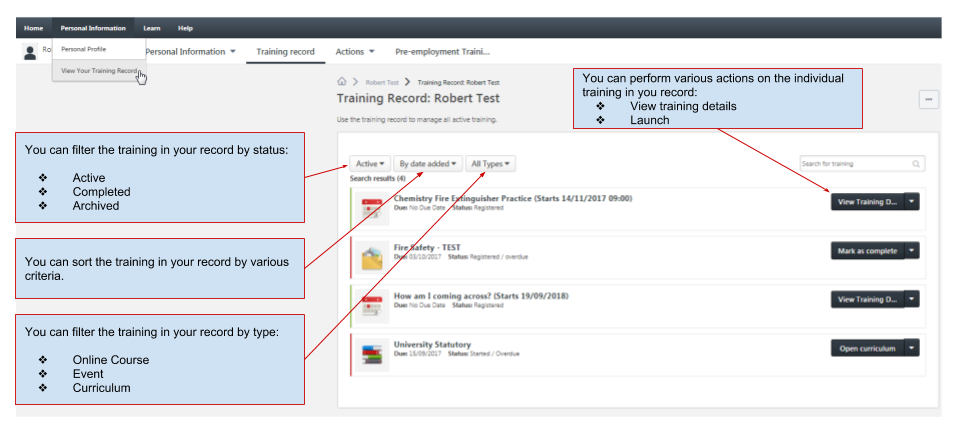
Learners don't have to leave the page to view their Training Record, with the Side Bar on the left side of the page containing training they must take action on. It's conveniently broken down by learning that's Past Due, Due Soon, and training Assigned with No Due Dates.
Carousels
There are different learning carousels to browse on the page. These are based on the learner's current active training, saved training and interested topics.
Continue learning
This carousel displays training that is assigned, registered or started on the learner's Training Record. If a learner doesn't have any training on their Active Training Record, the carousel will be hidden.
Saved for later
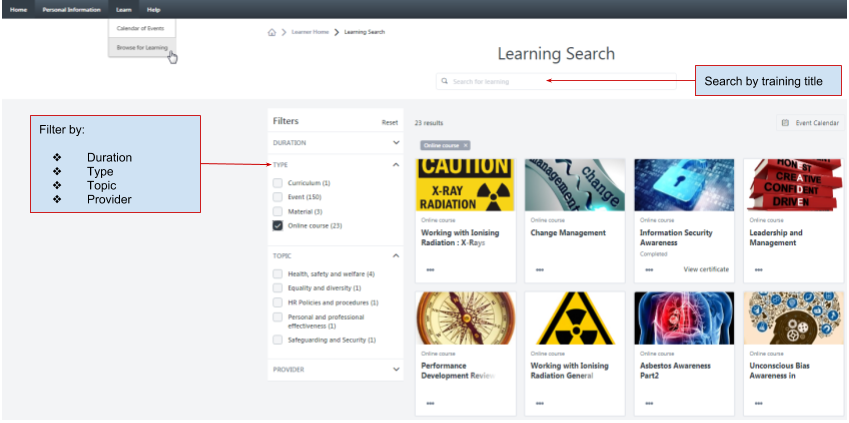
This carousel displays training that has been saved by the learner. On the home page, learners can save training they might be interested in taking using the three dots at the bottom of each tile and selecting Save for Later. When training is saved, it appears in this section. If a learner doesn't save any training, the carousel will be hidden.
Inspired by your subjects
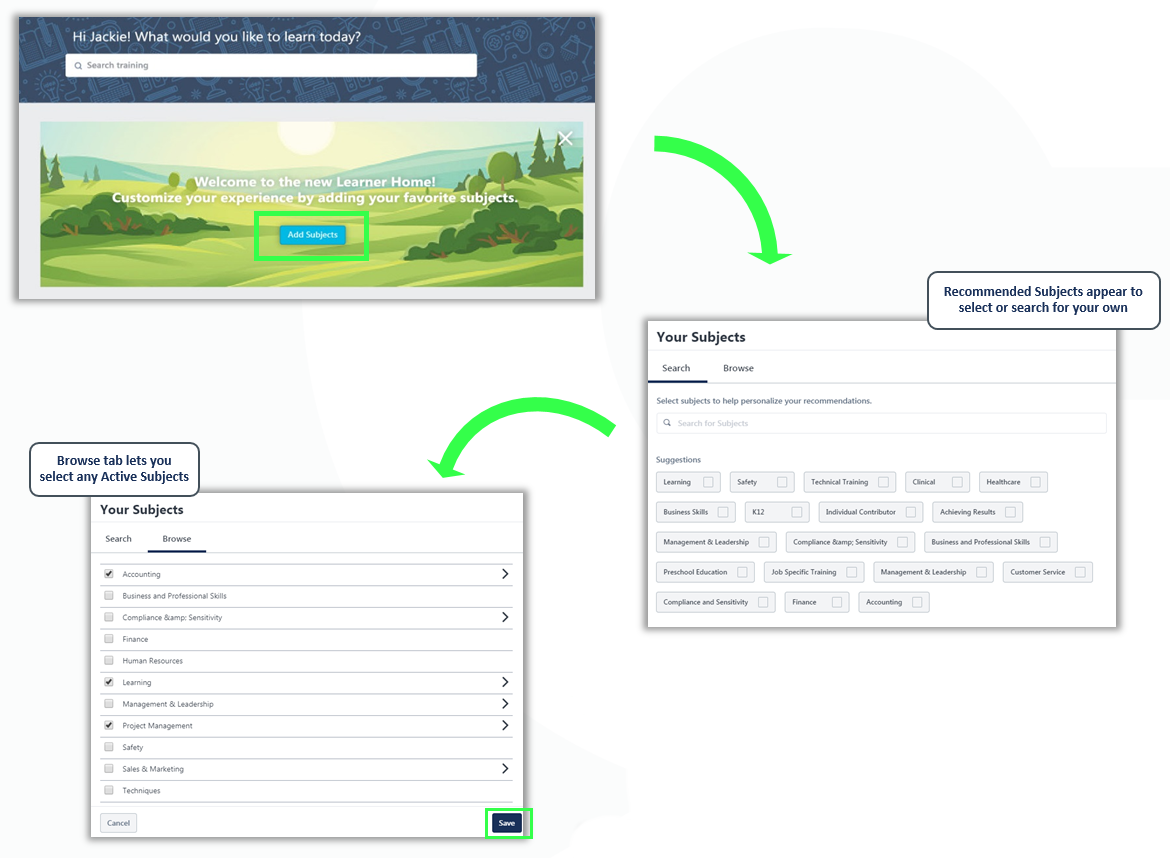
This carousel displays training based on the learner's selected topics. For example, if a learner sets "Leadership" as one of their topics, the system will recommend other training associated with the "Leadership" topic. Topics can be selected from the home page or Universal Profile. If a learner has not selected any topics, a prompt to add topics will display in the banner at the top of the page. If no recommendations are found for the learner, the carousel will be hidden.
System screenshots